Manufacturing
 Logistics
 Real Estate
 Retail
 Finance
 Healthcare
 Hospitality
 Automotive
Enterprise-grade Deep Research and Document Generation Solution
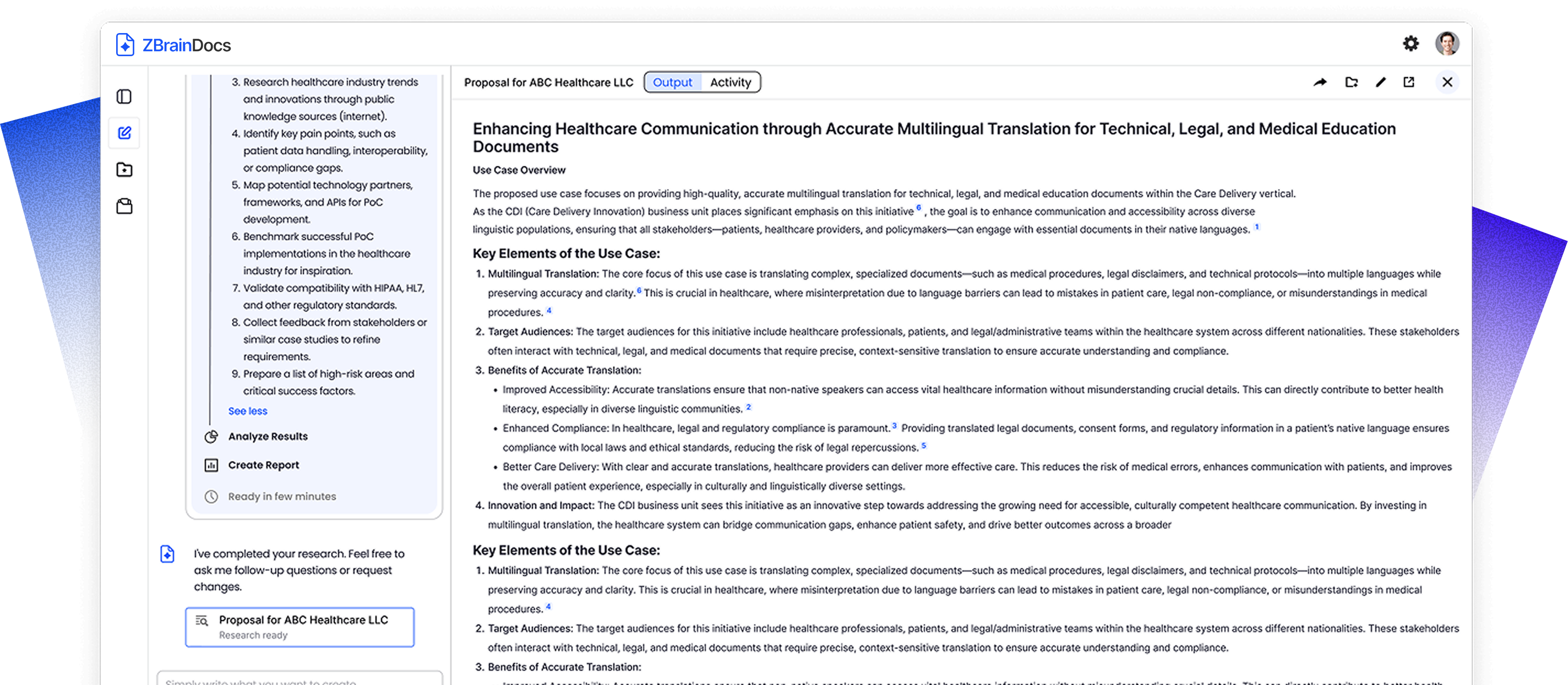
Create well-structured, comprehensive documents grounded in your data. ZBrainDocs helps organizations move from fragmented information to decision-ready documents by structuring research, clarifying scope, and grounding every document in verifiable enterprise knowledge. It enables teams to define what needs to be researched, what is included in the document, and the underlying rationale — before the document is generated.

Enterprise Research
Bring private enterprise knowledge and approved public sources into one governed research foundation. This helps maintain context, control, and traceability.

Research-backed Document Planning
Generates a clear and reviewable document plan. It defines scope, structure, dependencies, and rationale before writing begins.

Explainable Document Generation
Creates structured, function-specific documents with built-in source traceability. It enables teams to explain, validate, and confidently defend every output.
Why Enterprise Document Creation Breaks Down?
Across various business functions such as strategy, operations, finance, and HR, document creation begins with extensive research and alignment. Information is dispersed across systems and people, pre-requisites surface late, and teams lack a consistent method to define scope early.
This leads to documents that takes longer to produce and are harder to rely on for informed decisions.
- Research scattered across enterprise systems and teams
- Limited visibility into sources and assumptions
- Inconsistent structure across similar documents
- Rework driven by late-stage misalignment

How ZBrainDocs Addresses These Challenges
Research and Context Foundation
Contextual Document Generation
Multi-source Data Integration
Source Traceability


Planning and Execution Control
Document Generation Planning Workflow
Real time visibility into research and generation
Management and Governance
Project-based document organization
Post-generation Control and Export
Access Control

How It Works

Establish the research baseline
ZBrainDocs brings together relevant enterprise knowledge from systems such as document repositories, shared drives, CRMs, project tools, and uploaded files. Approved external sources can also be included to inform the document.

Define structure and intent
Initiate the process with a natural-language prompt. ZBrainDocs responds by generating a structured plan outlining required sections, research scope, assumptions, and exclusions. Teams validate and refine this plan to ensure alignment.

Generate with context
Once the plan is approved, ZBrainDocs generates a context-aware, grounded document aligned with your data and requirements. You can make manual edits, adjust structure or language, and export the finalized document.
Why ZBrainDocs?
- Built for research-intensive documents, not generic content generation.
- Brings structure and clarity to the work that happens before writing begins.
- Grounds every document in enterprise data and approved sources.
- Makes document scope, inputs, and rationale explicit upfront.
- Reduces rework by aligning stakeholders before generation.
- Produces outputs that teams can explain, review, and defend.
- Designed for enterprise governance, auditability, and control.