Manufacturing
 Logistics
 Real Estate
 Retail
 Finance
 Healthcare
 Hospitality
 Automotive
ZBrain Corpus · Enterprise AI knowledge base
Turn your company’s documents into knowledge your people and your AI can use.
ZBrain Corpus is an enterprise AI knowledge base. It reads your manuals, contracts, reports and drawings, applies your access rules, and gives your people and AI agents answers backed by the source document. Runs in your cloud.
The torque setting for the drive coupling on the 2023 revision is 42 Nm.1 Set it in two steps, in the order on page 14.1
The problem
Most document AI pilots stall for three reasons. The AI model is not one of them.
The documents read badly.
Scanned pages, tables and drawings come out flat or missing, so the answers are wrong before anyone asks.
Access nobody can prove.
Oversharing led 40 percent of IT leaders to delay a Microsoft 365 Copilot rollout (Gartner, 2024). If you cannot show who saw what, security says no.
Answers nobody can check.
Two thirds of people rely on AI output without checking it (KPMG and University of Melbourne, 2025). A confident answer with no source is a risk, not a result.
In 2025, 42 percent of companies abandoned most of their AI initiatives (S&P Global). ZBrain Corpus was built to get document AI past these three points.
The answer
An answer, and the document behind it.
Ask in plain language across thousands of manuals, procedures, contracts and reports. The answer comes with the document, the page and the exact lines it was drawn from, so anyone can open the source and check it.
The torque setting is 42 Nm in the 2023 revision1 and 40 Nm in the 2021 revision.2
Scans, tables and drawings included.
Scanned pages are read, tables keep their rows and columns, and drawings are described, so the answer reflects the real document.
Procedures stay in order.
Step-by-step content is returned the way the document wrote it, not summarised into something nobody signed off.
When documents disagree, you see both.
Two revisions of the same value are shown side by side, and your experts decide which one stands.
How it works
From a document library to answers in four steps.
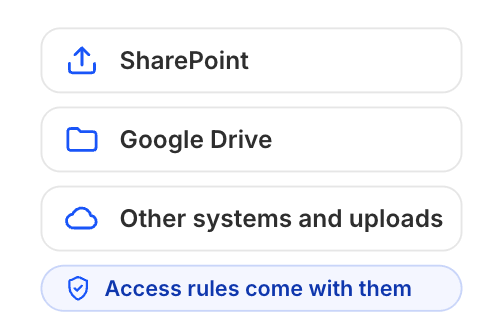
1Connect your systems.
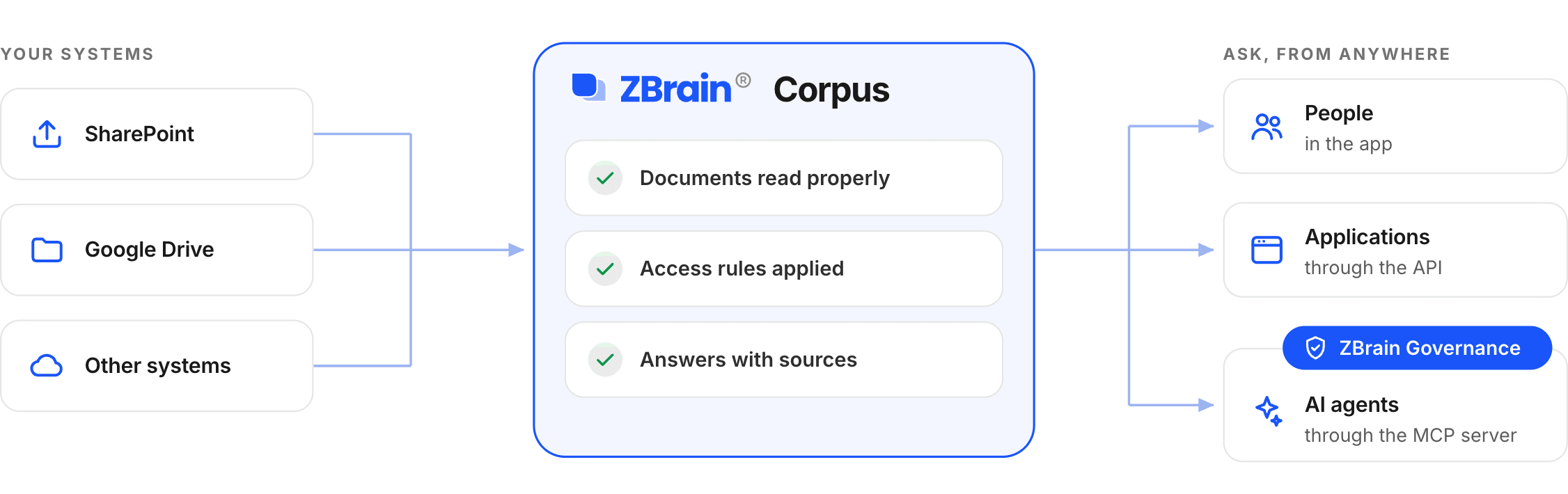
Connect the systems where your documents live: SharePoint, Google Drive, file shares and document systems, through built-in connectors or the API. Access rules from your directory come with them.
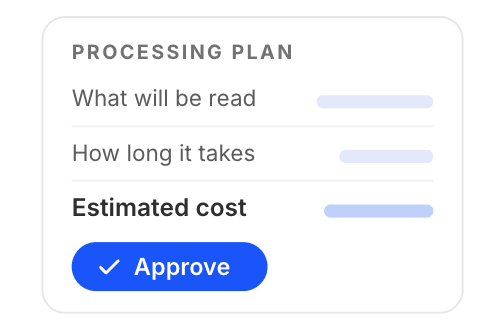
2Approve the plan.
Before anything is processed, you see what will be read, how long it takes and the estimated cost. Someone on your team approves it.
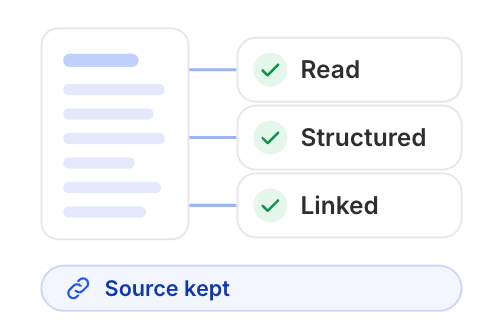
3Knowledge is built.
Every page is read, structured and linked, with its source kept, so each answer can point back to where it came from.
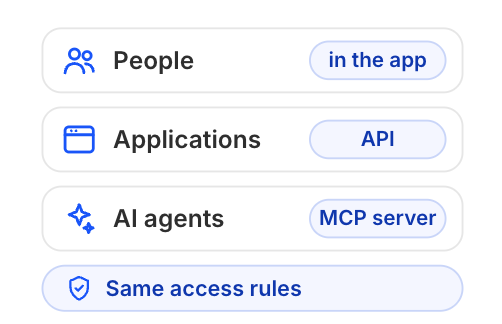
4Ask, from anywhere.
Your people ask in the app. Your applications and AI agents ask through the API or the MCP server, under the same access rules.
Nothing is processed until a person approves it, and every answer points back to the page it came from.
Where it is used
Built for the documents your business runs on.
Engineering and service.
Service manuals, bulletins, drawings and case histories: find the right value or procedure for the right revision.
Quality and compliance.
Procedures, specifications and audit records: answers that point to the controlled document and the page.
Legal and contracts.
Agreements, policies and past work: find the clause, the obligation and the exception, with the source beside it.
Operations and support.
Runbooks, product guides and case notes: one place to ask, with every team seeing only what it is allowed to see.
Trust and control
Your documents, your rules, your cloud.
Access rules apply to every answer.
People, applications and AI agents only ever get answers from documents they are allowed to open. Rules from SharePoint carry over when you connect it.
Every answer has a record.
Who asked, what was used and what was held back, kept on a tamper-evident record you can download and hand to an auditor.
Cost is approved before it is spent.
Each processing plan shows its estimated cost before it runs. Budgets and model choices are set by your administrators.
Runs in your cloud or private environment, with any model.
Deploys on Azure, AWS, GCP or inside your own private environment. Works with any model you choose, commercial or self-hosted, on your own accounts. Your documents, index and records never leave your environment.
Integration
One knowledge base for your people, your applications and your agents.
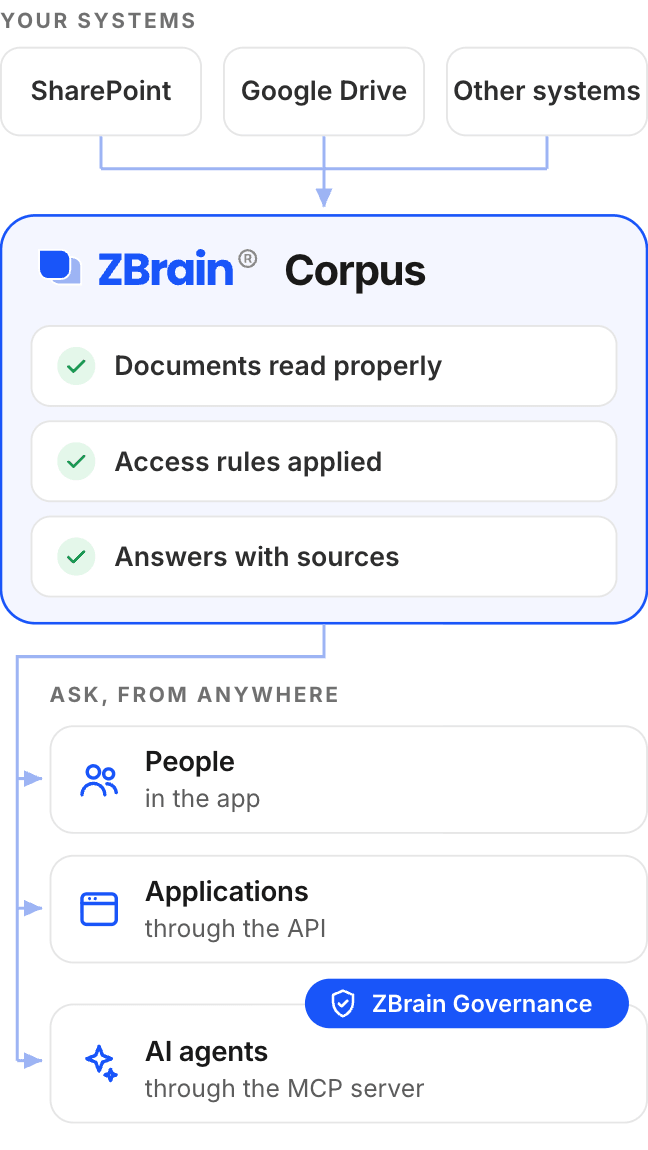
Every AI project needs the same three things: documents read properly, access rules applied, and answers with sources. Build them once in ZBrain Corpus and let every application and agent use them.
REST API.
Search, ask and retrieve documents with scoped keys. Python and TypeScript clients. Each call is logged against the key that made it.
MCP server.
AI assistants and agents connect directly and ask under the same access rules as your people. Works with any MCP-capable agent.
Built on ZBrain.
Solutions and agents built on ZBrain read from ZBrain Corpus with their own scoped keys, and ZBrain Governance keeps those agents within policy.
See it work
Bring your own documents and see it in action.
Book a demo, bring a set of your own documents, and watch ZBrain Corpus answer your questions on them.
What you will see
- Answers from your documents, with the source beside each one
- A processing plan with its cost estimate before anything runs
- The record behind an answer, downloaded on the spot
FAQ
Frequently asked questions
1. Where does our data go?
Nowhere outside your environment. ZBrain Corpus runs in your cloud on Azure, AWS or GCP, or inside your private environment, and model calls go to the models you choose, on your own accounts.
2. Which document types does it read?
PDF, Word, PowerPoint, Excel and the older Office formats, OpenDocument, text and web formats, email files, images and scanned pages, and engineering drawings (DXF natively; DWG, STEP and IGES through a configured converter).
3. Which systems can we connect?
Any system where your documents live can be connected: cloud drives, file shares, document management, ticketing and engineering systems. Connectors sync on a schedule and carry your access rules over. A system without a ready connector connects through the API or a connector added for your deployment.
4. What happens when the documents do not contain the answer?
ZBrain Corpus says so and names what is missing. It does not produce an answer it cannot back with a source.
5. How do permissions work?
Access rules are applied to every search before an answer is written, for people, applications and agents alike. SharePoint item permissions carry over when the directory is connected.
6. How do our agents connect?
Through the REST API or the MCP server, with scoped keys that carry the access of the person who created them. Python and TypeScript clients are included.