


 Manufacturing
 Logistics
 Real Estate
 Retail
 Finance
 Healthcare
 Hospitality
 Automotive
What is enterprise search? Definition, architecture, types, and benefits
Listen to the article
Modern enterprises generate and consume vast amounts of information every day. Critical documents and insights are spread across cloud storage platforms, collaboration tools, CRM systems, internal wikis, ticketing platforms, emails, and legacy databases. While digital transformation has expanded access to data, it has also fragmented knowledge across disconnected systems. Industry studies show that employees spend 30% of their workday searching for information, often recreating documents, repeating analyses, or making decisions with incomplete context simply because the right information is hard to locate at the right time.
As organizations scale, this problem compounds: more tools, more data, and more silos. Traditional keyword-based search, designed for static repositories, struggles in today’s dynamic, distributed enterprise environments. The challenge is no longer about storing information, but about finding, understanding, and using it efficiently. This is where enterprise search becomes essential. It acts as a unifying layer across systems, enabling employees to discover trusted information quickly, securely, and in context. This article explores what enterprise search means, why it matters in complex enterprise ecosystems, and how modern enterprise search solutions help organizations unlock the full value of their collective knowledge.
- What is enterprise search?
- Enterprise search vs other types of search
- How does enterprise search work
- Different types of enterprise search
- Benefits of implementing an enterprise search tool
- Key features and criteria for evaluating an enterprise search solution
- Common challenges in enterprise search implementation
- How to measure enterprise search ROI
- How ZBrain Builder supports AI-powered enterprise search systems
- Future trends in enterprise search
What is enterprise search?
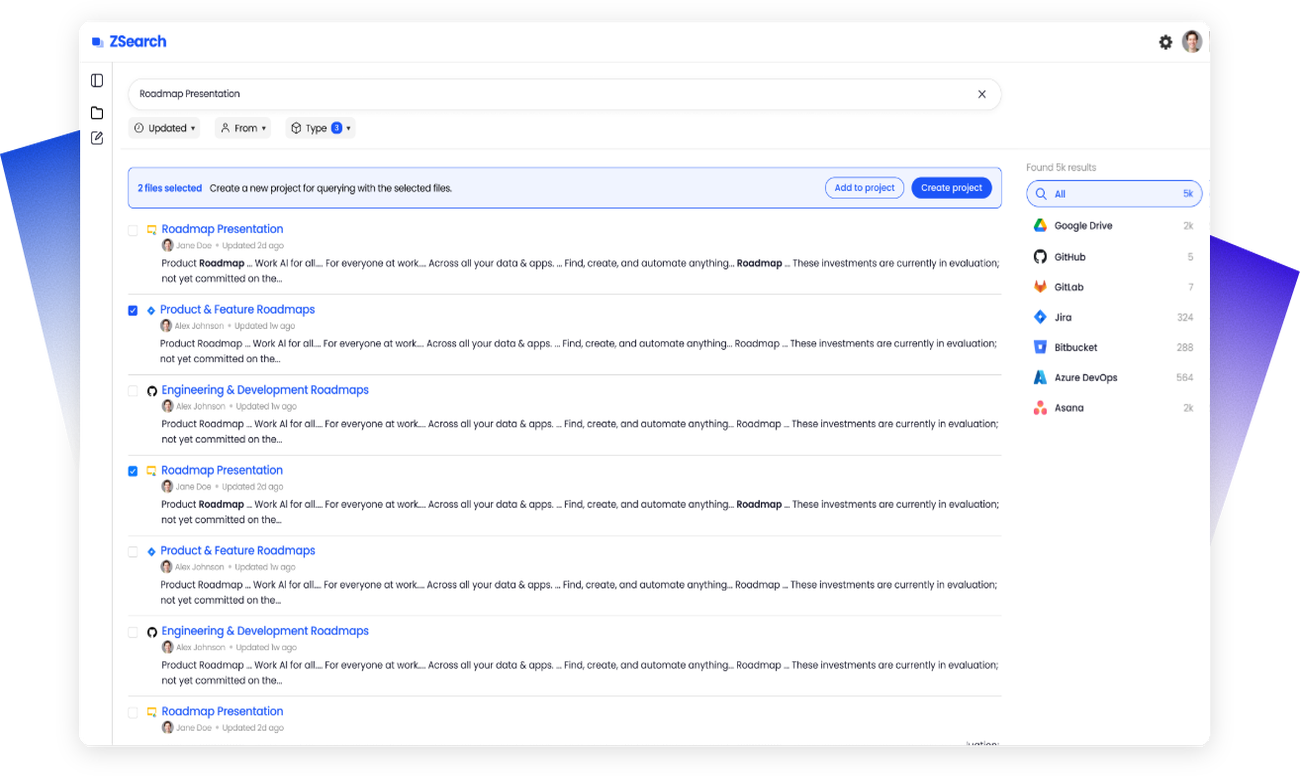
Enterprise search refers to the technology that enables employees to securely find, retrieve, and use information from across an organization’s entire digital ecosystem through a single search experience.
It indexes and searches content across multiple internal sources, including documents, emails, chat messages, knowledge bases, cloud storage, CRMs, databases, and business applications, while respecting access controls, permissions, and compliance requirements.
Unlike basic keyword search, modern enterprise search systems use technologies such as natural language processing (NLP), semantic understanding, and machine learning interpret user intent and deliver relevant, contextual, and actionable results.
At its core, enterprise search transforms fragmented enterprise data into accessible organizational knowledge, helping employees get answers quickly and work more effectively.
Enterprise search vs other types of search
While all search technologies aim to help users find information, the scope, purpose, and complexity of the search vary widely across environments. The table below highlights the key differences between enterprise search, site search, and web search:
| Aspect | Enterprise search | Site search | Web search |
|---|---|---|---|
| Primary goal | Retrieve internal organizational knowledge | Navigate a specific website | Discover public web information |
| Data sources | Internal tools, apps, databases, files, messages | Pages and content of one website | Entire public internet |
| Security & access | Permission-aware, role-based, SSO | Minimal or none | None |
| Personalization | Role, team, and context-based | Basic (cookies) | Broad user behavior |
| Query complexity | Supports natural language, intent, context | Mostly keyword-based | Keyword + intent at scale |
| Typical users | Employees | Website visitors | General public |
Streamline your operational workflows with ZBrain AI agents designed to address enterprise challenges.
Enterprise search is designed for private, complex, and permissioned data environments, whereas site search and web search operate on public or semi-public content.
How does enterprise search work?
Enterprise search is more complex than traditional web search because it must securely retrieve relevant information from multiple, disconnected enterprise systems. To achieve this, enterprise search solutions follow a structured, multi-stage process to collect, index, and deliver accurate results.
1. Data connection and collection
Enterprise search begins by connecting to the organization’s data sources. These may include document repositories, collaboration platforms, cloud storage systems, databases, CRM tools, ticketing systems, and internal applications.
Data is collected using:
- APIs and pre-built connectors
- Crawlers for file systems or intranet content
- Scheduled or real-time synchronization
The goal of this stage is to make all relevant enterprise content discoverable, regardless of where it is stored or what format it is in.
2. Indexing and enrichment
Once data is collected, it is processed and stored in a search index, which is optimized for fast retrieval.
During indexing, the enterprise search engine:
- Normalizes structured and unstructured data
- Extracts metadata such as author, date, file type, and source
- Identifies relationships between documents and entities
- Applies enrichment techniques like language detection or entity recognition
Modern enterprise search software may use both keyword-based indexing and semantic or vector-based indexing, enabling more accurate search results even when exact keywords are not used.
3. Security and access control
A critical aspect of enterprise search is permission-aware search.
The system integrates with identity and access management (IAM) tools to ensure that:
- Content retains its original access controls
- Users only see the results they are authorized to access
- Security policies are enforced consistently across all data sources
This allows enterprise search solutions to unify access to information without compromising governance or compliance.
4. Query understanding
When a user submits a search query, the system analyzes it to understand intent.
Rather than relying only on keyword matching, modern enterprise search engines use:
- Natural language processing (NLP)
- Semantic analysis
- Contextual signals
This enables users to search in natural language and still receive accurate, relevant results—even when terminology varies across teams or systems.
5. Matching, ranking, and relevance
The enterprise search engine retrieves potential matches from the index and ranks them based on multiple relevance signals, including:
- Query relevance and semantic similarity
- Content freshness and reliability
- User permissions and role context
- Engagement signals such as clicks or usage patterns
The most relevant and trusted results are presented first, reducing the time users spend refining searches.
6. Result delivery
Finally, results are delivered to users through a search interface or directly within the tools they already use.
Enterprise search tools may present:
- Individual documents or files
- Contextual answers from multiple sources
- Filtered or personalized result sets
Advanced enterprise search solutions integrate search into daily workflows, allowing users to access information without switching applications.
Different types of enterprise search
Enterprise search can take several forms depending on how data is indexed, accessed, and delivered, each addressing specific organizational needs and levels of complexity.
1. Internal search
Internal search refers to search functionality built into a single application or system, such as a document repository, CRM, or ticketing tool. It allows users to find information within that specific system, but does not extend beyond it. While useful for localized tasks, application-specific search cannot provide visibility across multiple enterprise systems.
2. Siloed search
Siloed search results from relying on multiple, disconnected application-specific search tools across the organization. Each system operates its own search independently, requiring users to know where information resides before searching. This fragmentation increases friction, reduces discoverability, and limits enterprise-wide knowledge sharing.
3. Federated search
Federated search queries multiple systems in real time and aggregates the results without creating a centralized index. Although it provides access to live data, performance and relevance can vary across source systems.
4. Indexed search
Indexed search creates indexes of enterprise content in advance, enabling faster, more consistent results. This approach improves performance over real-time querying and serves as the foundation of many enterprise search engines.
5. Unified search
Unified search builds a single, comprehensive index across all enterprise data sources. It delivers faster, more consistent results and allows users to search once and retrieve information from documents, applications, and collaboration tools in a single view.
6. AI-powered enterprise search
AI-powered enterprise search uses machine learning and natural language processing to understand intent, context, and semantic relationships. This approach improves relevance, supports natural language queries, and adapts results based on user behavior.
7. Cloud-based enterprise search
Cloud-based enterprise search solutions are hosted in the cloud, offering scalability, reduced infrastructure overhead, and easier integration with modern SaaS tools. They are well-suited for distributed and rapidly growing organizations.
Enterprise search use cases
Enterprise search benefits nearly every department by enabling employees to self-serve and access the right information at the right time. This reduces friction, improves productivity, and supports better decision-making. Below is a department-wise breakdown of key use cases:
1. IT teams
-
Access system documentation, knowledge bases, and internal repositories.
-
Enable self-service: employees can resolve technical issues without IT intervention.
-
Secure search ensures compliance with permissions for sensitive configurations.
Example: Quickly locate server logs, troubleshooting guides, or integration documentation across multiple systems.
2. HR teams
-
Search across employee directories, policies, compliance documents, and training materials.
-
Reduce repetitive HR inquiries by allowing employees to independently find benefits, policies, or onboarding materials.
-
Simplify recruiting: quickly locate past resumes and candidate evaluations.
Example: A recruiter searches across ATS, email, and SharePoint to find shortlisted backend candidates from last fall with active AWS and Kubernetes certifications.
3. Finance teams
-
Centralized access to ERP data, budgets, audit reports, and regulatory documents.
-
Enable self-service retrieval of historical financial reports or compliance updates.
-
AI can proactively highlight trends, anomalies, or policy changes.
Example: A finance analyst searches for Q4 revenue reports across multiple subsidiaries and receives a consolidated view instantly.
4. Sales teams
-
Locate up-to-date product specifications, pricing guides, proposals, and client histories.
-
Identify internal subject matter experts to support client engagements.
-
AI can suggest similar past deals or strategies based on historical data.
Example: A sales rep searches for a past proposal to a similar client; AI surfaces the proposal along with a summary of client feedback and success metrics.
5. Marketing teams
-
Discover creative assets, campaign analytics, market research, and competitor intelligence.
-
Repurpose previous campaigns efficiently.
-
AI can recommend relevant assets for current initiatives based on past usage patterns.
Example: A marketer searches for images and videos used in last year’s product launch to quickly create a new campaign.
6. Engineering teams
-
Search internal knowledge bases, product documentation, code repositories, testing reports, and patents.
-
Locate experts and prior project documentation for collaboration.
-
AI can cross-reference designs, test results, and technical requirements.
Example: An engineer searches for previous suspension system tests to validate new vehicle design specifications.
7. Legal teams
-
Conduct eDiscovery and access contracts, policies, and regulatory content.
-
Ensure compliance by quickly retrieving relevant documents across emails, SharePoint, or internal wikis.
-
AI can highlight critical clauses, obligations, or changes across versions.
Example: Legal teams search for contracts containing specific indemnity clauses for a pending negotiation.
Enterprise search drives productivity, reduces duplicated effort, and enhances knowledge sharing by making information discoverable across departments. When combined with AI-powered capabilities, search becomes more relevant, context-aware, and predictive, helping teams act faster, collaborate effectively, and make informed decisions.
How AI powers enterprise search
Modern enterprise search is being transformed by AI, enabling faster, more accurate, and context-aware results. Rather than forcing employees to guess the right keywords, AI-driven search understands intent, surfaces relevant insights, and delivers actionable answers at scale. The key technologies driving this shift are outlined below.
1. Large Language Models (LLMs)
LLMs are deep learning models trained on vast text datasets. They understand nuanced language patterns, interpret user intent, and generate coherent, human-like responses, making them the foundation of intelligent search experiences.
Key applications:
-
Natural language queries: Employees can ask questions in plain English, eliminating dependence on exact keyword matching.
-
Contextual understanding: LLMs draw connections across documents, conversations, and enterprise data to surface the most relevant results.
-
Summarization: Lengthy reports or email threads are condensed into concise, digestible takeaways, saving time and reducing cognitive load.
2. Retrieval-Augmented Generation (RAG)
RAG extends LLM capabilities by grounding AI responses in real enterprise data, significantly improving accuracy and trustworthiness.
How it works:
-
Retrieve: Identify the most relevant documents from enterprise systems such as CRMs, SharePoint, or Slack.
-
Generate: Use an LLM to craft a precise answer based on the retrieved content.
Why it matters:
-
Minimizes the risk of AI hallucinations by anchoring responses in verified sources.
-
Produces answers that are transparent, traceable, and aligned with organizational knowledge.
Example: An employee asks, “What was decided in last quarter’s product strategy meeting?” RAG retrieves meeting notes, emails, and project updates to generate a precise, context-aware response.
3. Agentic AI
Agentic AI refers to autonomous agents that break down complex goals into subtasks, coordinate multiple processes, and adapt dynamically, all in real time.
Key applications:
-
Selects the most effective retrieval method (keyword, vector, or semantic) based on the query.
-
Synthesizes findings from multiple sources into a unified, coherent response.
-
Preserves context across related queries to maintain continuity throughout a session.
Example: A sales team asks for past successful proposals. Agentic AI retrieves the relevant documents, identifies recurring winning strategies, and presents a synthesized summary of the most impactful elements.
4. Semantic search and vector representations
Rather than matching exact words, AI converts both queries and documents into semantic vectors that capture underlying meaning and intent.
Key benefits:
-
A query like “latest employee onboarding steps” surfaces relevant guides, FAQs, and emails, even when the wording doesn’t match precisely.
-
Significantly reduces trial-and-error searching, making knowledge discovery faster and more intuitive.
5. Predictive and contextual intelligence
AI can anticipate what users need before they ask, drawing on workflow patterns, project timelines, and historical search behavior to surface information proactively.
Example: Ahead of a quarterly audit, finance teams are automatically presented with relevant reports, budgets, and compliance documents, enabling faster and more informed decision-making.
AI-powered enterprise search turns static repositories into intelligent, proactive knowledge systems. By combining LLMs, RAG, agentic AI, semantic understanding, and predictive intelligence, organizations equip their employees with accurate, timely, and actionable information, driving smarter decisions and meaningful productivity gains across the enterprise.
Benefits of implementing an enterprise search tool
Implementing an enterprise search tool transforms how organizations access, share, and use information. By unifying data from multiple systems into a single, intelligent search experience, businesses can unlock productivity, improve decision-making, and maximize the value of their information assets.
1. Improved productivity and efficiency
Employees no longer need to switch between multiple applications or manually search through folders and emails. Enterprise search provides instant access to relevant information, significantly reducing search time and enabling teams to focus on high-value work.
2. Faster knowledge discovery
With one centralized search interface, employees can quickly locate documents, conversations, records, and insights across the organization. This accelerates knowledge discovery and ensures critical information is available exactly when it’s needed.
3. Better decision-making
Enterprise search gives leaders and teams access to complete, up-to-date information from across the business. With better visibility into data, trends, and historical context, decision-makers can make more informed, data-driven choices.
4. Enhanced collaboration and knowledge sharing
By breaking down information silos, enterprise search enables teams to easily share and reuse existing knowledge. This reduces duplicated work, improves cross-functional collaboration, and helps new employees onboard faster.
5. Improved employee experience
A modern enterprise search tool delivers a familiar, consumer-grade search experience. Employees can find what they need without relying on colleagues or IT support, reducing frustration and increasing engagement.
6. Stronger security and compliance
Enterprise search respects existing access controls and permissions, ensuring employees only see information they are authorized to access. It also simplifies audits, supports regulatory compliance, and helps mitigate risk by surfacing the most current policies and records.
7. Cost savings and operational efficiency
By reducing time spent searching, preventing duplicated work, and consolidating multiple tools, enterprise search helps lower operational costs. Over time, organizations realize measurable ROI through efficiency gains and reduced overhead.
8. Enhanced customer experience
Customer-facing teams can quickly access customer data, case history, and knowledge articles. Faster access to accurate information leads to quicker resolutions, improved service quality, and higher customer satisfaction.
9. Smarter insights through analytics
Enterprise search tools provide insights into what employees are searching for and where information gaps exist. These analytics support continuous improvement, better content management, and more effective knowledge strategies.
10. A foundation for innovation
By making organizational knowledge easily accessible, enterprise search empowers teams to build on existing ideas, identify opportunities, and innovate faster, without reinventing the wheel.
Key features and criteria for evaluating an enterprise search solution
When evaluating an enterprise search solution, organizations should look beyond basic keyword search and assess how well a solution aligns with their data environment, security requirements, user expectations, and long-term AI strategy. The table below outlines the most important features and what decision-makers should look for in each area.
| Feature / Criterion | What to look for | Why it matters |
|---|---|---|
| Data compatibility & connectors | Pre-built connectors for file systems, cloud storage, CRMs, HR tools, messaging apps, and databases; support for structured and unstructured data | Ensures comprehensive search coverage across the organization and reduces data silos |
| Search relevance & experience | Natural language search, semantic understanding, fuzzy matching, auto-suggestions, previews, and faceted filters | Improves accuracy, reduces search time, and increases user trust in results |
| AI & intelligence | NLP, intent detection, intelligent recommendations, automatic tagging, and support for RAG/LLMs | Delivers more contextual, proactive, and accurate results over time |
| User experience & adoption | Intuitive interface, familiar search bar, fast response times, minimal training required | Drives adoption and encourages self-service knowledge discovery |
| Security & access control | Role-based access control (RBAC), native permission enforcement, SSO, encryption in transit and at rest | Protects sensitive data and ensures compliance without limiting access |
| Privacy & compliance | Support for GDPR, HIPAA, SOC 2; data masking, redaction, audit logs | Reduces regulatory risk and simplifies compliance processes |
| Scalability & performance | Ability to handle large data volumes, high query loads, and multi-tenant environments | Ensures consistent performance as data and users grow |
| Analytics & insights | Search analytics, failed-query tracking, content usage metrics, customizable dashboards | Helps identify knowledge gaps and continuously optimize search quality |
| Deployment flexibility | Cloud, on-premises, or hybrid deployment options | Allows alignment with infrastructure, security, and data residency needs |
| Customization & extensibility | Configurable relevance models, APIs, custom connectors, UI customization | Ensures the solution adapts to organizational workflows and use cases |
| Total cost of ownership (TCO) | Transparent pricing, predictable scaling costs, strong vendor support | Prevents hidden costs and ensures long-term ROI |
Common challenges in enterprise search implementation
Implementing enterprise search delivers significant long-term value, but organizations frequently encounter obstacles that affect adoption, performance, and return on investment. Understanding these challenges in advance helps teams set realistic expectations, prioritize the right capabilities, and avoid the most common pitfalls.
-
Data fragmentation and inconsistent quality
Enterprise data is rarely clean or consistent. Documents are stored in inconsistent formats, metadata is incomplete or absent, and content quality varies widely across departments and systems. Poor source data directly undermines search relevance: if the underlying content is outdated, duplicated, or unstructured, even the most capable search engine cannot surface trustworthy results. Organizations should assess data quality and establish basic governance practices before or alongside search implementation, rather than treating it as an afterthought. -
Integration complexity and connector gaps
Most enterprises rely on a wide range of tools across cloud storage, collaboration platforms, CRMs, HR systems, and databases. Connecting all of these to a unified search index requires robust connectors, maintained APIs, and ongoing synchronization. Gaps in connector coverage mean certain data sources remain siloed and invisible to search. As enterprise tooling evolves, maintaining these integrations adds ongoing operational overhead. -
Permission management at scale
A core requirement of enterprise search is that users only see content they are authorized to access. In practice, permissions are often inconsistently applied across systems, inherited in complex hierarchies, or out of date due to team changes and role transitions. Enforcing accurate, real-time access controls across multiple data sources requires careful integration with identity management systems and regular audits. Misconfigured permissions create compliance risks or prevent users from accessing information to which they are legitimately entitled. -
Search relevance and tuning
Out-of-the-box search relevance is rarely sufficient for enterprise environments. Ranking signals must be calibrated to reflect the specific language, terminology, and priorities of an organization. Teams often underestimate the ongoing effort required to tune relevance models, manage synonyms, surface the right content types, and suppress low-quality results. Without a deliberate relevance strategy, employees quickly lose confidence in search and revert to manual navigation or direct requests to colleagues. -
User adoption and change management
Deploying an enterprise search solution does not automatically change search behavior. Employees accustomed to navigating known systems or relying on colleagues to locate information may not immediately adopt a new tool. Without clear communication, training, and integration into existing workflows, adoption rates remain low, and the investment underdelivers. Successful implementations treat adoption as an active, ongoing effort rather than a post-deployment task. -
Scalability and performance under load
As data volumes grow and query loads increase, enterprise search systems must maintain consistent performance without degradation. Systems that perform well at initial deployment may struggle as connectors multiply, indexes expand, and concurrent users increase. Evaluating scalability early, including indexing speed, query latency, and multi-tenant performance, is essential to avoiding performance bottlenecks as the organization scales. -
Governance and compliance requirements
Enterprise search systems that access sensitive or regulated data must meet stringent governance requirements, including audit logging, data residency controls, and alignment with standards such as GDPR and HIPAA. Ensuring that a search platform supports these requirements across all connected data sources, and not just at the application layer, requires careful evaluation and ongoing monitoring.Addressing these challenges is not a reason to delay enterprise search investment; it is a reason to approach implementation strategically. The evaluation criteria outlined in the following section are directly informed by these common failure points.
How to measure enterprise search ROI
Enterprise search is a foundational investment, but demonstrating its value requires moving beyond anecdotal feedback to measurable outcomes. Establishing clear metrics before deployment allows organizations to track progress, identify gaps, and make the case for continued investment. The key performance indicators below span search quality, operational efficiency, and business impact.
Search quality and relevance
| Metric | What it measures | Why it matters |
|---|---|---|
| Search success rate | The proportion of queries that result in a user clicking on or engaging with a result | Indicates whether the system is returning results users find useful |
| Query abandonment rate | The proportion of searches where no result is selected | High abandonment signals poor relevance, missing content, or interface issues |
| Zero-results rate | The proportion of queries that return no results | Identifies content gaps, connector failures, or vocabulary mismatches |
| Result click depth | How far down the results list users navigate before clicking | Shallower click depth indicates better relevance ranking |
Productivity and efficiency
| Metric | What it measures | Why it matters |
|---|---|---|
| Time-to-answer | Average time from query submission to locating the relevant document or information | A direct measure of search efficiency; reductions translate to hours saved per employee |
| Self-service deflection rate | Reduction in IT, HR, or support tickets attributable to employees self-serving via search | Quantifies operational savings from reduced helpdesk demand |
| Repeat search frequency | How often users return to search for the same or similar information | High repetition may indicate results were not trusted or complete the first time |
Adoption and engagement
| Metric | What it measures | Why it matters |
|---|---|---|
| Active user rate | The proportion of eligible employees using enterprise search regularly | Indicates adoption breadth and whether the solution is embedded in daily workflows |
| Search volume per user | Average queries submitted per active user per period | Reflects increasing reliance on search as a primary navigation method |
| Workspace or project feature usage | Engagement with collaborative features such as shared workspaces or AI-assisted follow-up | Indicates whether the search is functioning as a knowledge-sharing tool, not just retrieval |
Business impact
| Metric | What it measures | Why it matters |
|---|---|---|
| Estimated hours recovered | Time savings extrapolated from reduced search time across the workforce | Translates efficiency gains into financial value |
| Duplicate work reduction | Decrease in recreated documents, repeated analyses, or overlapping projects | Measurable through periodic content audits or team surveys |
| Decision cycle time | Time taken from information need to decision or action | Shorter cycles reflect improved knowledge access and context availability |
| Onboarding time-to-productivity | Time for new employees to become independently effective | Enterprise search that surfaces institutional knowledge accelerates this materially |
How ZBrain Builder supports AI-powered enterprise search systems
For enterprises with complex requirements, building custom retrieval workflows, integrating search into operational processes, or developing proprietary AI systems on top of internal knowledge, ZBrain Builder provides the underlying infrastructure to enable these efforts.
ZBrain Builder is an enterprise-grade agentic AI orchestration platform designed for building AI applications and agents using proprietary enterprise data. Where enterprise search focuses on surfacing information, ZBrain Builder provides the capabilities that enable organizations to operationalize advanced retrieval, reasoning, and workflow automation across distributed enterprise environments.
Enterprise knowledge ingestion and processing
Modern AI-powered search depends on the ability to process and unify content spread across documents, databases, APIs, collaboration tools, and business applications. ZBrain Builder supports enterprise data ingestion through connectors, APIs, OCR pipelines, document parsing, and configurable preprocessing workflows, transforming fragmented enterprise data into structured knowledge suitable for AI-powered retrieval and reasoning.
Advanced retrieval and knowledge management
ZBrain Builder provides a customizable knowledge base infrastructure that supports semantic embeddings, configurable chunking strategies, vector storage, hybrid and agentic retrieval methods, metadata enrichment, and knowledge graph generation. These capabilities allow enterprises to improve retrieval precision, contextual relevance, and answer quality across large-scale internal knowledge environments, going beyond what standard indexed search can achieve.
RAG-powered search and generation
Retrieval-Augmented Generation (RAG) has become foundational to modern internal search architectures. ZBrain Builder enables enterprises to implement advanced RAG pipelines that combine retrieval, reasoning, and generation workflows using proprietary data. The platform supports hybrid and agentic retrieval approaches, context-aware orchestration, prompt management, and multi-step reasoning, helping organizations build search experiences that generate grounded, contextually relevant responses rather than simply returning document links.
Agentic orchestration and workflow integration
Enterprise search increasingly functions as part of broader AI workflows rather than as a standalone interface. ZBrain Builder supports multi-agent orchestration through its Agent Crew capabilities, coordinating retrieval, reasoning, validation, and task execution across processes. This enables organizations to integrate search directly into operational workflows such as compliance analysis, customer support, knowledge operations, procurement, due diligence, and enterprise research.
Governance, security, and enterprise controls
As AI-powered search systems gain access to sensitive enterprise data, governance becomes essential. ZBrain Builder incorporates role-based access control, centralized prompt management, auditability, workflow governance, monitoring, and secure deployment support, helping enterprises maintain secure, permission-aware, and compliant AI-powered search operations at scale.
By combining enterprise data integration, advanced retrieval, agentic orchestration, and governance capabilities, ZBrain Builder enables organizations to move beyond basic information retrieval toward intelligent knowledge workflows, where employees can access relevant insights, generate grounded responses, and act on enterprise information with greater speed and confidence.
Streamline your operational workflows with ZBrain AI agents designed to address enterprise challenges.
Future trends in enterprise search
Enterprise search is evolving from simple retrieval to intelligent, context-aware discovery. As data grows and AI matures, organizations need search that is faster, smarter, and more intuitive. Key trends shaping this transformation include:
- Voice-activated search: Natural language voice queries enable hands-free access, boosting productivity.
- Visual & content-based search: Searching by images, diagrams, and videos enhances workflows by allowing users to locate information based on visual attributes.
- Vector search: Semantic, similarity-based search delivers precise, scalable results across large datasets.
- Data security & privacy: Advanced encryption, access controls, and compliance remain essential as data volumes and regulations increase.
- Augmented analytics integration: Search evolves into an insight platform, letting users move directly from discovery to decision-making.
- Advanced relevance metrics: Metrics like Normalized Discounted Cumulative Gain (NDCG) help continuously optimize search quality and personalization.
- Multimodal experiences: Text, voice, image, and video search combine in one interface for flexible, accessible interactions.
- Knowledge graphs & ontologies: Semantic relationships improve context-aware results and enable complex queries across systems.
- Named Entity Recognition(NER) & direct answers: NER identifies key entities, while direct answers reduce document clicks and speed workflows.
The future of enterprise search is intelligent, multimodal, and insight-driven. AI capabilities like vector search, knowledge graphs, and augmented analytics will transform search from a passive tool into an active intelligence layer—guiding users to answers, insights, and decisions.
Organizations embracing these capabilities today will gain a strategic edge in managing information growth, boosting productivity, and unlocking the full value of enterprise knowledge.
Endnote
As enterprises continue to generate more data across an expanding ecosystem of tools, the ability to quickly find, understand, and act on information has become a strategic differentiator. Modern enterprise search is no longer just about retrieving documents; it is about connecting knowledge, reducing friction, and enabling better decisions in the flow of work. Solutions that combine unified access, semantic intelligence, enterprise-grade security, and seamless workflow integration are best positioned to deliver long-term value. By embedding AI-powered search directly into everyday tools and team workflows, organizations can turn scattered information into accessible, actionable knowledge at scale.
Ready to simplify enterprise knowledge discovery? Explore how AI-powered search unifies information across systems, delivers relevant insights, and enables smarter decisions.
Listen to the article
Author’s Bio


CEO LeewayHertz
An early adopter of emerging technologies, Akash leads innovation in AI, driving transformative solutions that enhance business operations. With his entrepreneurial spirit, technical acumen and passion for AI, Akash continues to explore new horizons, empowering businesses with solutions that enable seamless automation, intelligent decision-making, and next-generation digital experiences.
Table of content
- What is enterprise search?
- Enterprise search vs other types of search
- How does enterprise search work
- Different types of enterprise search
- Benefits of implementing an enterprise search tool
- Key features and criteria for evaluating an enterprise search solution
- Common challenges in enterprise search implementation
- How to measure enterprise search ROI
- How ZBrain Builder supports AI-powered enterprise search systems
- Future trends in enterprise search
Share Article


Frequently Asked Questions
What is enterprise search, and why is it important?
It’s important because modern enterprises store critical knowledge across dozens of disconnected tools. Without a unified enterprise search engine, employees waste time navigating systems, recreating work, and making decisions with incomplete context. Enterprise search reduces this friction by making knowledge discoverable quickly, securely, and in context, improving productivity and decision-making across the organization.
How is enterprise search different from Google or website search?
Enterprise search is built for private, permissioned, and complex data environments, whereas Google and website search operate on public or semi-public content.
Key differences:
- Data scope: Enterprise search spans internal tools and repositories; Google searches the public web; site search searches a single website.
- Security: Enterprise search enforces permissions and access controls (RBAC/SSO), ensuring users only see authorized content. Web search doesn’t handle enterprise permission models.
- Relevance signals: Enterprise search uses business context (role, department, recency, source system) to rank results; web search relies heavily on public web signals.
- Query behavior: Modern enterprise search supports natural language and intent-based retrieval tuned to enterprise knowledge; site search is often keyword-driven and narrow.
What types of enterprise search are available?
Enterprises commonly encounter several models, each suited to different maturity levels:
- Application-specific search: Search within a single system (e.g., CRM search). Useful but limited and siloed.
- Siloed search: Multiple systems each have their own search; users must know where to look, which creates high friction.
- Federated search: Queries multiple sources in real time and aggregates results without a central index. Fast to deploy, but can be inconsistent in performance and relevance.
- Indexed search: Builds search indexes in advance for speed and consistent relevance. This is the foundation for most modern enterprise search tools.
- Unified search: A single search interface/index across multiple sources, enabling “search once, find anywhere.”
- AI-powered enterprise search: Adds semantic understanding, NLP, and learning-based ranking to improve relevance and support natural language queries.
- Cloud-based enterprise search: Delivered via cloud for scalability and easier integration with SaaS ecosystems.
Most modern enterprise search solutions combine indexed, unified, and AI-powered approaches for the best results.
How does enterprise search deliver business benefits?
Enterprise search delivers business benefits by reducing friction in accessing information and turning fragmented data into usable organizational knowledge. By providing a single, secure way to search across systems, it helps teams work more efficiently and make better decisions.
Key benefits include:
- Faster information access: Employees spend less time searching across tools and more time executing on meaningful work.
- Reduced duplication of effort: Teams can easily reuse existing documents, insights, and decisions instead of recreating them.
- Improved collaboration: Shared visibility into knowledge reduces silos and strengthens cross-functional alignment.
- Better decision-making: Access to a complete, up-to-date context enables faster and more confident decisions.
- Higher employee satisfaction: A reliable, intuitive search experience reduces frustration and improves engagement.
- Stronger security and compliance: Permission-aware search ensures sensitive data is protected while remaining accessible to authorized users.
- Lower operational costs: Time savings, fewer repeated tasks, and better knowledge reuse translate into measurable efficiency gains.
- Improved customer outcomes: Customer-facing teams resolve issues faster with quick access to accurate, trusted information.
Together, these outcomes make enterprise search a foundational capability for improving productivity, governance, and overall business performance.
How does AI improve enterprise search?
AI transforms enterprise search from keyword matching into intent-aware knowledge retrieval. Key ways AI enhances enterprise search include:
Natural language understanding: Employees can ask questions in plain language without needing to know exact filenames or keywords.
Semantic search: AI converts queries and documents into vector representations that capture meaning, surfacing relevant results even when terminology does not match precisely.
Retrieval-Augmented Generation (RAG): AI retrieves relevant content from enterprise systems and generates accurate, grounded responses rather than simply returning document links.
Agentic retrieval: AI agents can break complex queries into subtasks, retrieve from multiple sources, and synthesize findings into a unified response.
Predictive intelligence: AI surfaces information proactively based on workflow context, project activity, and historical search behavior.
Together, these capabilities move enterprise search from passive retrieval to active knowledge assistance.
What are the most common challenges in implementing enterprise search?
The most common implementation challenges include:
-
Data quality and fragmentation: Inconsistent formats, missing metadata, and outdated content undermine relevance before a search is even made.
-
Integration complexity: Connecting all enterprise systems to a unified index requires robust connectors and ongoing maintenance as tooling evolves.
-
Permission management: Enforcing accurate, real-time access controls across multiple data sources at scale is technically demanding and requires careful integration of identities.
-
Relevance tuning: Out-of-the-box relevance models rarely fit enterprise terminology and priorities without deliberate calibration.
-
User adoption: Deployment alone does not change search behavior. Change management, training, and workflow integration are essential to sustained use.
-
Governance and compliance: Search systems accessing sensitive data must meet audit, data residency, and regulatory requirements across all connected sources.
How do I measure the success of an enterprise search implementation?
Success should be measured across four dimensions:
Search quality: Search success rate (queries that result in a click), query abandonment rate, zero-results rate, and result click depth.
Productivity: Time-to-answer, self-service deflection of IT and HR tickets, and repeat search frequency.
Adoption: Active user rate, search volume per user, and engagement with collaborative or AI-assisted features.
Business impact: Estimated hours recovered, reduction in duplicated work, decision cycle time, and onboarding time-to-productivity.
Establishing baselines before deployment and reviewing metrics post-launch gives the clearest picture of where the system is delivering and where further optimization is needed.
What security and compliance capabilities should enterprise search support?
Enterprise search systems access sensitive and often regulated data, so security and compliance capabilities are non-negotiable. Key requirements include:
Permission-aware search: Users should only see results they are authorized to access, with permissions enforced at query time, not just at the data source.
Identity integration: SSO and role-based access control (RBAC) should be natively supported.
Encryption: Data should be protected in transit and at rest.
Audit logging: Complete records of search activity should be available for compliance and forensic purposes.
Regulatory alignment: The platform should support relevant standards such as GDPR, HIPAA, SOC 2 Type II, and ISO 27001, depending on the organization’s industry and geography.
Data residency controls: Organizations with geographic data constraints should confirm that the platform can comply with residency requirements.
How does ZBrain Builder support AI-powered enterprise search systems?
ZBrain Builder is an enterprise-grade agentic AI orchestration platform that provides the infrastructure to build custom AI-powered search and knowledge retrieval systems on top of proprietary enterprise data.
Key capabilities relevant to enterprise search include:
-
Knowledge ingestion and processing: Connectors, APIs, OCR pipelines, and document parsing transform fragmented enterprise content into structured, searchable knowledge.
-
Advanced retrieval: Semantic embeddings, vector storage, configurable chunking, hybrid retrieval methods, and knowledge graph generation improve retrieval precision and contextual relevance.
-
RAG-powered generation: ZBrain Builder enables organizations to implement RAG pipelines that generate grounded, contextually relevant responses rather than returning document links.
-
Agentic orchestration: Multi-agent coordination via Agent Crew capabilities enables search to function as part of broader operational workflows, compliance analysis, customer support, procurement, and more.
-
Governance and security: Role-based access control, centralized prompt management, auditability, and monitoring support secure, compliant AI-powered search operations at scale.
ZBrain Builder is suited for enterprises that need more than a ready-to-deploy search tool, organizations building proprietary retrieval systems, organizations integrating search into operational workflows, or organizations requiring fine-grained control over their AI knowledge infrastructure.
How do I get started with AI-powered enterprise search?
A structured approach to getting started typically involves:
Audit your data landscape: Identify which systems hold the most critical knowledge, assess data quality, and map existing access controls.
Define use cases and success metrics: Prioritize the departments or workflows with the highest search friction, and establish baseline metrics before deployment.
Evaluate build vs. buy: Determine whether a ready-to-deploy enterprise search solution, a platform for building custom search systems, or a combination of both best fits your requirements and technical capacity.
Plan for adoption: Treat change management as part of the implementation, not an afterthought. Identify internal champions, integrate search into existing workflows, and communicate the value clearly.
Start focused, then scale: Begin with a defined set of data sources and use cases, prove value, and expand coverage incrementally.
To explore how ZBrain Builder can support your enterprise search requirements, contact the team at hello@zbrain.ai or visit http://zbrain.ai .
Insights
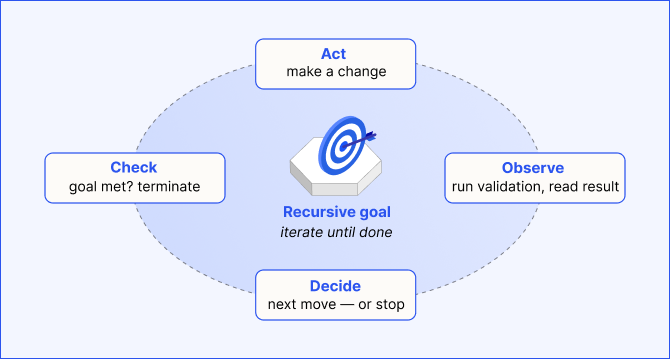
Loop engineering for AI agents: Building reliable autonomous systems
Loop engineering is the practice of designing, operating, and improving the feedback systems that let an AI agent plan, act, observe the results, and revise its approach until a goal is reached without a human driving every turn.
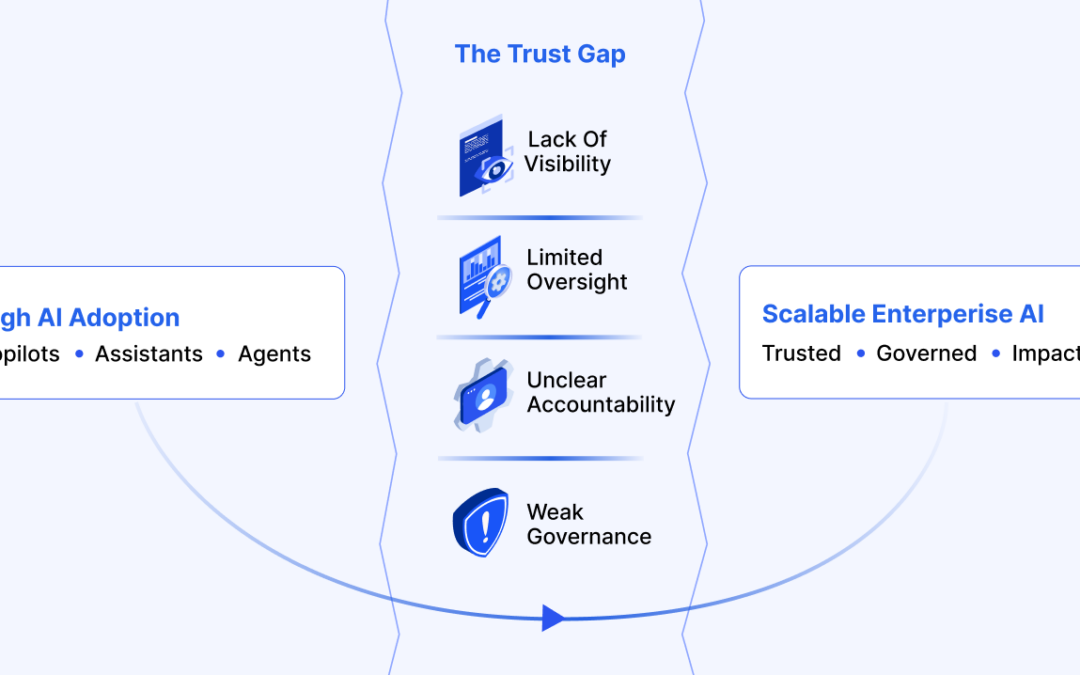
The AI trust gap: Why governance architecture determines enterprise value
The trust gap surrounding enterprise AI is fundamentally an architectural challenge, and its solution is increasingly well understood.
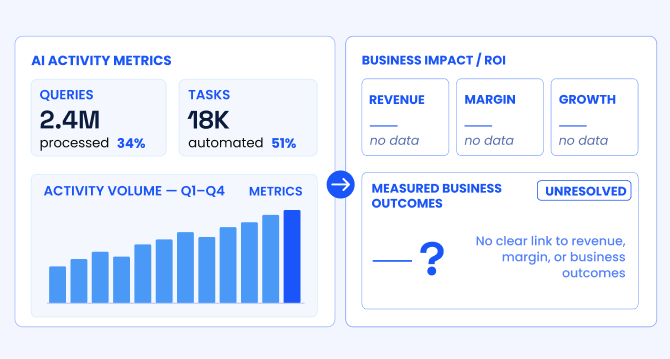
The AI ROI illusion: Why enterprises struggle to measure AI impact
Organizations with stronger measurement discipline are better positioned to link AI deployments to measurable business outcomes, prioritize high-impact use cases across the enterprise, allocate capital more effectively, and continuously refine models using real-world performance feedback.
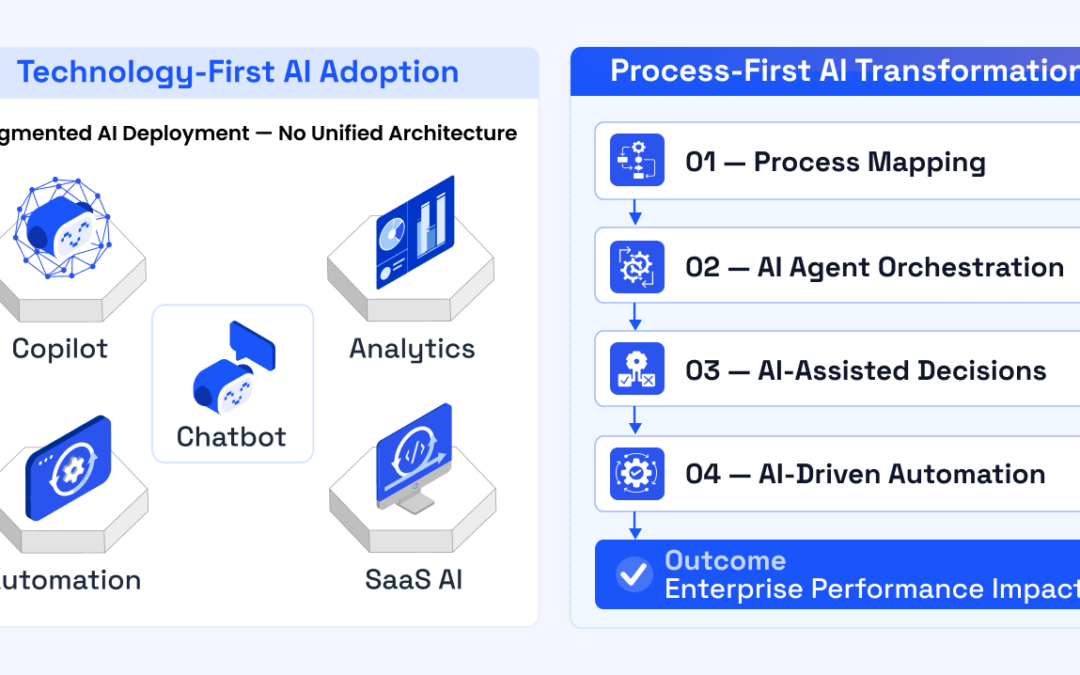
The agentic enterprise: Why AI success requires an operating model redesign
Organizations that redesign their operating models around agentic AI are beginning to outperform those that apply AI only incrementally.
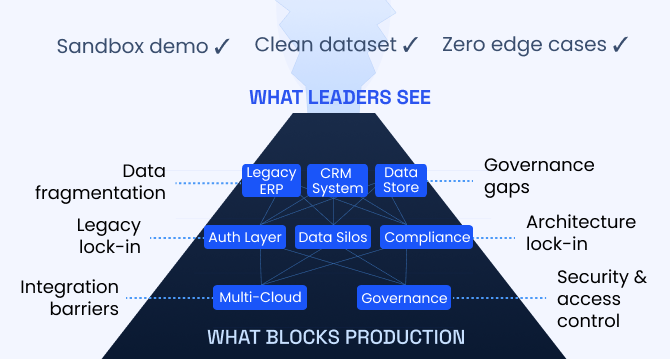
Enterprise AI pilot-to-production gap: Root causes & how to address them
The underlying cause is structural. In many enterprises, AI pilots are developed on infrastructure that was not designed to support production deployment.
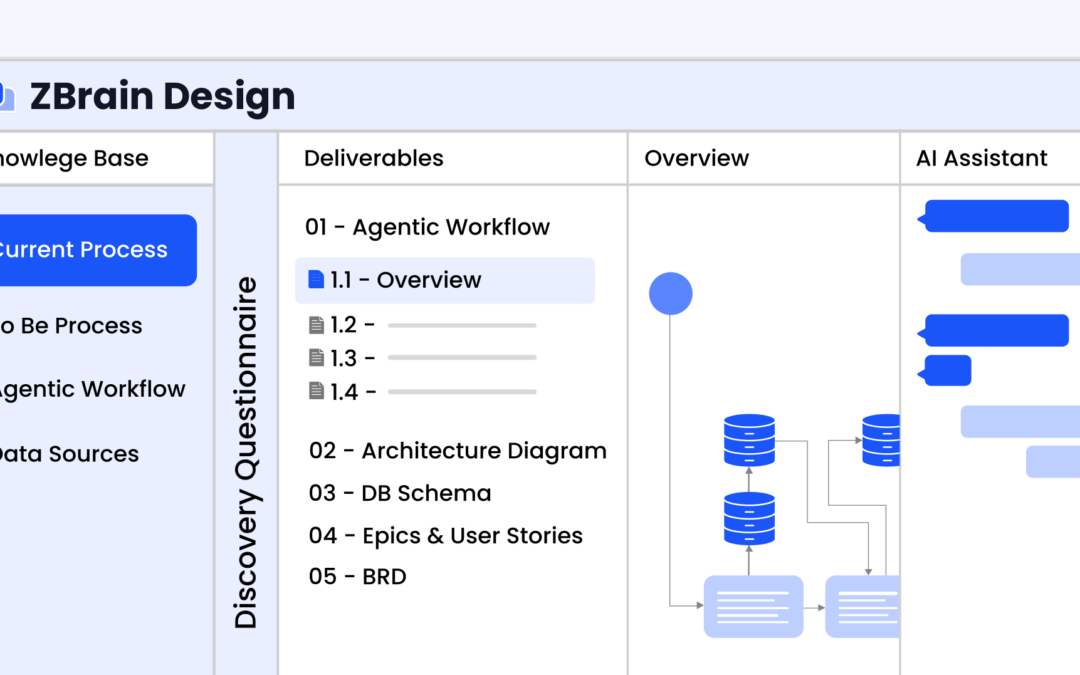
Solution architecture best practices: A guide for enterprise teams
The architecture design process culminates in a set of documented artifacts that communicate the solution to development, operations, and business teams.
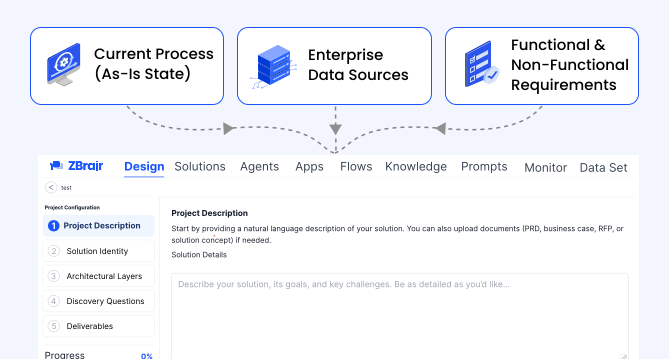
Common solution architecture design challenges and solutions
Solution architecture must evolve from fragmented documentation practices to a structured, collaborative, and continuously validated design capability.
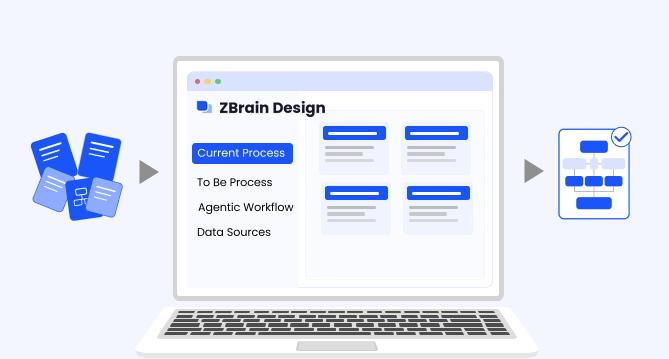
Why structured architecture design is the foundation of scalable enterprise systems
Structured architecture design guides enterprises from requirements to build-ready blueprints. Learn key principles, scalability gains, and TechBrain’s approach.
Intranet search engine guide: How it works, use cases, challenges, strategies and future trends
Effective intranet search is a cornerstone of the modern digital workplace, enabling employees to find trusted information quickly and work with greater confidence.

